The Best Practices for Automating Your Office

Dismantling information silos and giving employees easy access to the knowledge they need to drive processes and complete projects is a key objective of any office automation initiative. With the right tools, your organization can unlock the value of information assets, boost employee collaboration and eliminate complicated, broken workarounds for processes. The discovery process that kicks off office automation efforts identifies bottlenecks and highlights how reengineering paper-based processes is necessary for your business to grow. This can also help get you faster buy-in from your peers. Consider this before you start Workflow automation will help you meet information management challenges in both practical and innovative ways. If you take these 10 steps into consideration when making your digital transformation, you will already be miles ahead of your competition. 1. Define the business rules that underlie each workflow process These guidelines describe company policies and procedures and can always be expressed in “either or” questions such as “yes or no” or “true or false.” For example, a business rule might say that if a customer is already in the system (true), they get a 10% discount. If the customer is not in the system (false) they get a 20% discount. 2. Consider the document lifecycle What initiates the process — an email, a phone call, an electronic form, a paper form, a letter that comes in the mail or a walk-in? What is the first action you take with the information? Who is involved in the process? Does the document require review or approval? Is integration with another system or ERP necessary? Is there a mandatory retention schedule for the document? If so, how long do you have to keep it in your archive? 3. Use a process-mapping tool like the free DocuWare Process Planner If you want to plan and optimize your processes, it is crucial to visualize them. Quickly design your processes and workflow and share them with your colleagues. The Process Planner can be used independently without a DocuWare system. 4. Harness the power of artificial intelligence (AI) Optical Character Recognition (OCR) templates are a useful tool, but they have limits. Advanced software, such as DocuWare Intelligent Indexing, takes it further and uses AI to automatically process documents when data fields like invoice numbers and company names are in different places on the document depending on the supplier. The software can scan electronic and paper documents for key terms and convert that information into searchable indexed data. 5. Use version control Version control ensures that documents maintain their original integrity so that you don’t have to worry about managing multiple paper copies or having multiple electronic copies edited by different people offline. You can also make sure that everyone who makes changes to a document is working with the most current version. Older versions can be viewed in the version history which also shows the version numbers, the status, the storage date, any comments, and the user who saved the document. 6. Specify substitution rules to assign tasks to groups rather than to one person Then tasks can be automatically assigned to the first employee who currently has free capacity. At the same time, managers can monitor the processing of the workflows. Substitution rules can also reassign tasks when a team member is out of the office. 7. Use barcodes to speed up the indexing of paper documents If you attach a barcode to the first page of every document that should be grouped together, you can scan all your documents in one batch. Each new barcode identifies a new document type. In addition, they separate documents when scanning and when importing large batches of documents. For example, if you receive a lot of invoices that you would like to scan and store in one step, you can use a barcode to identify the invoice number field and send every invoice to a specified folder to be reviewed and approved. 8. Automate import Use automated import to send documents to a monitored folder from which they can be automatically and correctly stored. This is particularly useful when you are using network scanners or ERP software that create many PDF documents. Automated import is beneficial for companies that process large volumes of documents. 9. Follow consistent naming conventions across the organization Stick to a consistent method for naming files and folders. Use broad headings for folders rather than getting too specific. Paying attention to this detail will increase searchability. 10. Use an automated related documents feature Linking documents that are part of the same business process can be done easily by creating a common data field. Associated documents can then be retrieved in one click. Contact us to help make your office more efficient, streamlined and productive! Source: DocuWare Blog, Joan Honig
VoIP Phone Systems

WHAT IS VOIP? VOIP is an acronym for Voice Over Internet Protocol, or in more common terms phone service over the Internet. If you have an Internet connection, you can get phone service delivered through your computer instead of from your local phone company. With VoIP service, your phone calls travel over the internet as data, just as e-mail does. This type of service can dramatically lower your telecommunications costs while increasing your productivity. It also provides useful features and capabilities that conventional phone technology can’t offer. For example, you can: Screen Calls Create “on hold” music Use phone system remotely Receive voicemail and faxes through your e-mail Retrieve phone numbers through a virtual database Transfer phone calls through drag and drop software, including to external phone numbers Voice over Internet Protocol technology can increase the overall productivity of an organization by allowing their employees to multi-task without interruption. It also allows the organization to allocate funds usually spent on traditional phone bills to other aspects of the business. VoIP allows users to attach documents, conduct virtual meetings, and share data via video conferencing. VoIP technology has also enhanced voice clarity to make it indistinguishable from traditional telephony. Recent improvements in VoIP technology has made it more appealing to businesses and corporations who do not want to deal with previous bugs. From the Desk of the CIO Running a small business can be problematic, and smart business owners are always looking for ways to improve services while cutting costs. Many small businesses today are making the switch over to VoIP business phone systems. There are plenty of benefits to using such a service, but a lot of small business owners are overlooking some of the most valuable features. Beyond options like voicemail, call waiting, toll-free numbers, call forwarding, and remote operation, you’ll find a host of other features that can help your small business. The most attractive feature of VoIP is its cost-saving potential. The cost of using a VoIP telephone is much cheaper than using a conventional phone. Making long distance phone calls are also cheaper when using a VoIP provider. It also enables the user to integrate software programs, such as e-mail, e-fax and remote conferencing over the Internet via the telephone. In other words, a VoIP user can speak to somebody over the phone while accessing other applications, including the Internet simultaneously. No matter the size of your business, VoIP is a surprisingly flexible, affordable technology and we would be happy to talk to you about how we can help you set it up. – Chris Hart CIO Boring Business Systems If you’re ready to cut phone lines, and costs, contact a Boring representative today!
The Boring Way – Our Company Culture

When Boring Business Systems was founded in 1924, we knew that we had to be more than just another business to give our customers the support they needed. So we became a family, which would support the families that make up other businesses. We are passionate about offering solutions to our clients which help them run productively and efficiently, just like we do. This passion starts from within the Boring family. We have a strong culture that helps all Boring associates to strive for excellence, find opportunities to make work fun and leave a positive impression on all the people we encounter. There are 27 fundamentals that act as the foundation for our unique culture: Do the right thing, always. Demonstrate an unwavering commitment to do the right thing in every action you take, and in every decision you make, even when no one is looking. Think team first. Be there for one another, and provide rigorous support, including honest and direct feedback. Assume positive intent. Work from the assumption that people are good, fair and honest, and that the intent behind their actions is positive. Practice blameless problem-solving. Focus your attention on developing solutions, rather than pointing fingers or dwelling on problems. Honor commitments. Do what you say you’re going to do when you say you’re going to do it. Deliver legendary customer service. Do the little things, as well as the big things, that create extraordinary experiences for our customers. Listen generously. Give people your undivided attention, without interrupting. Be present and engaging. Speak straight. Speak honestly in a way that moves the action forward. Make quality personal. Take pride in the quality of everything you touch and everything you do. Take ownership. Take personal responsibility for making good things happen. “Bring it” every day. Approach every day with focus, energy, urgency, and enthusiasm. Celebrate success. Regularly give meaningful acknowledgment and appreciation. Go the extra mile. Be willing to do whatever it takes to get the job done… plus some. Follow-up everything. Follow up on every action and take responsibility to see that it gets completed. Be a fanatic about response time. Respond to questions and concerns quickly. Practice the “human touch.” Treat people as individuals and show them you care. Treasure, protect and promote our reputation. Consider how your actions affect our collective reputation and act in a way that brings honor to us all. Be clear with expectations. Create clarity and avoid misunderstandings by discussing expectations. Embrace change. Nothing stays the same. Be excited by change, and be energized by both the challenges and the possibilities it creates. When in doubt, communicate personally. When delivering difficult or complex messages, speak “live” rather than hiding behind email and voicemail. Deliver results. Set high goals, use measurements to track your progress and hold yourself accountable for achieving results. Pay attention to details. The goal is to get things right, not simply to get them done. Think and act like an owner. Ask yourself, “What would I do if this were my company? Will this help the company to succeed?” Be relentless about continuous improvement. Constantly evaluate every aspect of your job to find ways to improve. Make a difference. Be an active part of your community by getting involved and participating. Always remember we are family. While we may disagree, and even argue from time to time, we genuinely care for each other. Keep things fun. While our passion for excellence is real, remember that the world has bigger problems than our daily challenges at work.. Laugh a little! At Boring, we actively practice these fundamentals to assure that our culture remains vibrant, our team remains close and the companies we work with remain satisfied. Boring Business Systems is a Managed Services Provider in Lakeland. We provide IT Support and Managed IT services to Tampa, Lakeland, and the surrounding areas. For more information about our services and how we can help your business, please contact us.
6 Reasons Why You Should Switch To VoIP
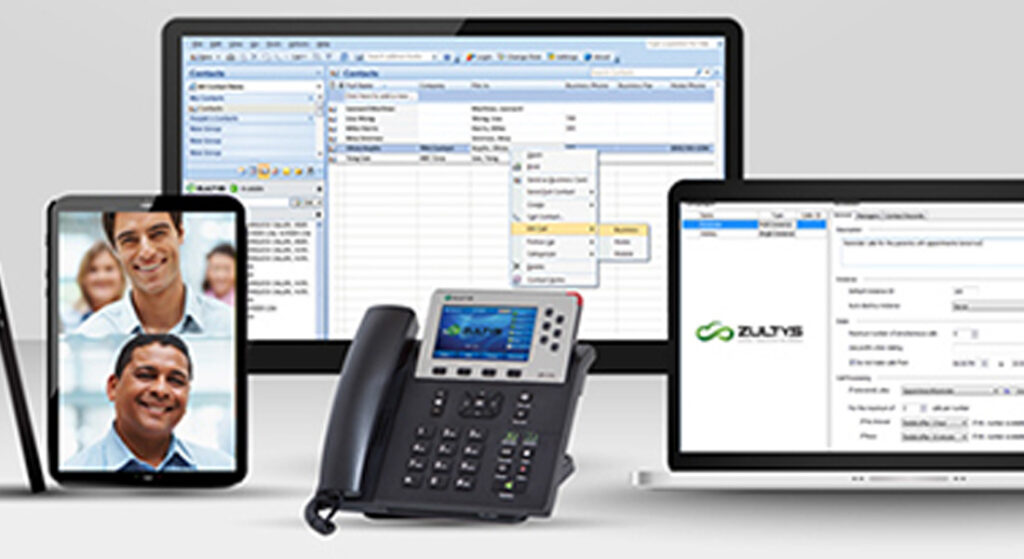
If your business relies on voice or video communications, there are plenty of reasons why a voice over internet protocol (VoIP) system is advantageous. Below, we’ll take a look at six of those reasons to help you decide if VoIP is the right choice for your business. 1) Mobility A VoIP phone system allows you to place and receive calls from anywhere you have an internet connection rather than being tied down to a single physical phone line. This means you and your employees will be able to work remotely. This is also a great benefit should your office lose power or your business is disrupted because of a disaster such as a hurricane. Your staff will be able to take calls from anywhere they have an internet connection. 2) Lower Costs VoIP is more affordable than traditional phone systems. Since you won’t have to buy costly hardware that must be maintained and eventually replaced, a VoIP system can save your business money upfront and cut costs over time. Additionally, ongoing expenses such as usage fees, taxes and long-distance costs are greatly reduced with a VoIP system. If you are looking for a way to decrease your business’s expenses, using a VoIP system is an excellent option to consider. 3) Scalability A VoIP system is easily scalable regardless of the size of your business. Many VoIP systems can accommodate as little as five users or as many as 10,000 without having to make any changes or upgrades to your system. This means your phone system will function flawlessly every step of the way even as your business grows and changes. 4) Versatility VoIP systems offer a wide range of features that you may not get with a traditional phone system such as video calling, SMS messaging, audio conferencing, video conferencing, and more. This makes VoIP an incredibly versatile solution that offers a range of services. 5) Flexibility A VoIP system is easy to deploy and effortless to manage. No matter what type of business you run or what type of phone solution you need, VoIP is flexible enough to accommodate your business without any hassle or extra cost. It’s also easy for someone on your staff to add and delete users, change greetings and manage other ongoing tasks. This can save you hundreds in service calls. 6) Voice Quality Not being able to clearly hear the person you’ve called – or them not able to hear you – is a real problem. Thankfully, it’s a problem you won’t have to deal with when you use a VoIP system. With a VoIP system, audio is always crystal clear, making your calls more productive and more professional. Conclusion There are plenty of reasons why VoIP is the superior, modern choice for businesses of all sizes. If you are ready to start taking advantage of all the benefits that VoIP has to offer, we invite you to contact us today for a free VoIP communications analysis. We will help you figure out what your cost savings will be with a new VoIP phone system. Boring is a VoIP solutions provider servicing Central Florida including Tampa and Lakeland. Contact us today for a quote on a VoIP system for your business.
Top Security Mistakes And How To Avoid Them
From HP’s September 2014 Technology at Work Newsletter In the movies, hackers are easy to identify. The screen’s green glow reflects on their grizzled faces as they type furiously at their keyboards in the murky shadows. Of course, real-life hackers aren’t nearly so easy to spot. And they’re also likely not the biggest source of risk for your business. The truth is that most security breaches—over 80 percent—are crimes of opportunity [1]. The largest security threat many businesses face comes not from criminal masterminds, but their own employees. To help you keep your data and networks safe, we’ve compiled five common IT security mistakes, and what you can do to avoid them. Mistake 1: Not performing updatesSolution: Installing regular upgrades and software patches is one of the most important things you can do to keep your network and data secure, but 40 percent of users don’t always upgrade software when prompted to. In fact, about a quarter admit they need to be prompted at least twice before upgrading [2]. Don’t wait to make your network secure. Upgrade as soon as patches are available and conduct audits regularly. Mistake 2: Not disposing of data correctlySolution: Donating old equipment can be a great idea, as long as you’re making sure you’re not donating your company’s sensitive data as well. Merely deleting files doesn’t necessarily get rid of the information. To be sure it’s permanently deleted, the data needs to be actively overwritten with programs like Eraser. And HP Disk Sanitizer and File Sanitizer, available on select business PCs and notebooks, can help you erase hard drives and securely remove files, history, and data from a computer, and bleach the blank file space [3, 4]. Mistake 3: Not using encryptionSolution: Encryption isn’t just for databases stored securely in your network. Over half of all data harvesting by hackers was done not on stored data, but on data in transit [5] between systems, through a network, or to employees working remotely. Consistently employing secure, encrypted connections for employees accessing information outside the office is a key step in keeping your data protected. Mistake 4: Not using secure servicesSolution: When employees need to work late on a big project or access a file on the road, all too often what they end up doing is emailing the file to themselves, or putting it on an unsecured public website or notebook. If your employees are circumventing your security because they need more flexibility, one great alternative can be a service like HP Helion public cloud that can provide remote access while maintaining leading security practices. Mistake 5: Not educating employeesSolution: Having secure systems does little good if your employees give up sensitive information and credentials voluntarily. Cybercriminals are increasingly targeting employees in phishing attacks to get past firewalls and other security measures. These attacks use emails, fake websites, Trojan downloads, and social media to solicit the information they need to infiltrate your network. To avoid becoming victims, employees need to be educated on how to recognize—and avoid—suspicious websites, friend requests, and other risky clicks. The average cyber-attack can cost a business nearly $9,000—not including the impact of lost sales due to a damaged reputation [6]. And if you think your business data isn’t a target, you should think again. In 2013, more than half of all of the small businesses surveyed had experienced a security breach at some point [7]. But by taking a few simple steps, you can go a long way towards minimizing your risk. [1] Verizon, Data Breach Investigation Report, 2011[2] Skype, International Technology Upgrade Week, 2012[3] HP Disk Sanitizer is for the use cases outlined in the DOD 5220.22-M Supplement. Does not support Solid State Drives (SSDs). Requires Disk Sanitizer, External Edition for Business Desktops from hp.com. Requires Windows on business desktops and notebooks.[4] HP File Sanitizer is for the use cases outlined in the DOD 5220.22-M Supplement. Does not support Solid State Drives (SSDs). Initial setup required. Web history deleted only in Internet Explorer and Firefox browsers and must be user enabled. With Windows 8.1, user must turn off Enhanced Protection Mode in IE11 for shred on browser close feature.[5] Trustwave, Global Security Report, 2013[6] NSBA, Small Business Technology Survey, 2013[7] Ponemon Institute, Poll for HSB, 2013 Source: http://h30458.www3.hp.com/us/us/smb/Top-security-mistakes-and-how-to-avoid-them_1421521.html?jumpid=em_taw_US_aug14_pps-bps_2256652_hpgl_us_1421521_9701&DIMID=EMID_1005225296&DICID=taw_Sep14&OID=11097710&mrm=1-4BVUP
5 Benefits Of Using A Managed Services Provider
Technology continues to play an increasingly important role within businesses of all sizes. However, the important role that technology plays within your business means that you will also have to dedicate more time and resources to keep your IT infrastructure running smoothly. Thankfully, there is an affordable solution that allows you to focus on your core business without having to worry about monitoring and maintaining your IT infrastructure – managed IT services. With managed IT services, your managed service provider is responsible for monitoring, maintaining, and updating your IT infrastructure, leaving you to focus on growing your business. Below, we’ll take a look at the top five benefits of using a managed services provider. 1) Eliminate Downtime Having part of your IT infrastructure malfunction can bring your entire business to a halt. With a managed services provider, your IT infrastructure is constantly monitored for issues and repaired the moment an issue arises, helping you eliminate costly downtime. 2) More Cost-Effective Having a managed services provider is a much more affordable solution than hiring one or more employees to maintain your IT infrastructure. This makes using a managed services provider an especially attractive choice for small to medium sized businesses which may not be able to justify hiring a full staff of IT professionals. 3) Stay Up-to-Date with the Latest Technology Having a managed services provider means that your business will always be up-to-date with the latest software solutions. Technology changes rapidly and keeping up can sometimes be difficult. With a managed services provider, you can rest assured that you and your employees always have access to the latest and greatest technology available. 4) Increased Security At one time, cybersecurity was mainly a concern for large corporations. Today, though, cyber-criminals are targeting small and large businesses alike, making security an important concern for businesses of all sizes. With a managed services provider, though, you can count on your data being secured with the best security software and protocols at all times. 5) Improved Relationships with Your Customers Issues with your IT infrastructure can make it difficult for you to offer high-quality service to your customers, which can damage your brand image. By preventing most issues before they ever arise and quickly fixing the ones that do, a managed services provider can ensure that your customers always have a positive, hassle-free experience when visiting your website, working with your employees, and more. Conclusion Using an MSP is an incredibly beneficial option for businesses that want to drastically improve the quality and effectiveness of their IT solutions. If you would like to learn more about how we at Boring Business Systems can provide your business with top-quality managed IT services in Tampa as well as IT Support in Lakeland. Contact us today for a professional evaluation of your company’s technology needs.
The Benefits Of Managed Print Services
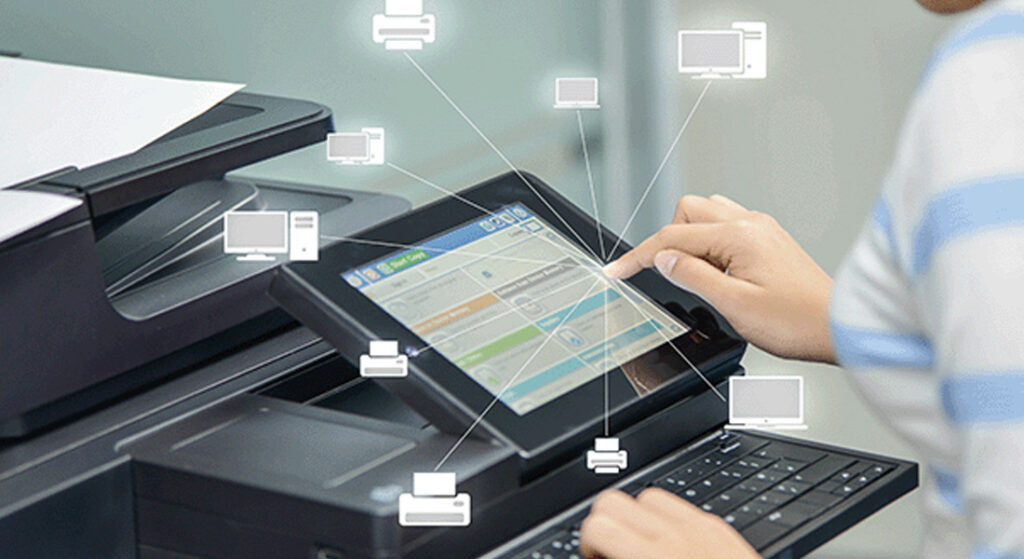
Your business could be one of millions benefiting from Managed Print Services (MPS). Here at Boring, we take care of all our clients printing needs so that they can focus on running their businesses. MPS can save you money and time, solve location and communication issues, as well as aid in teaching employees better printing habits. MPS can slow the escalating costs of print. By optimizing how your devices are being used, MPS can also reduce depreciation on your machines giving them a longer lifespan. The costs of Boring’s Managed Print Services are balanced out by long-term savings in operating costs. In addition, MPS gives you a predictable monthly bill with no surprise expenses, helping you manage your finances and cash flow. We can also track the amount of toner used and pages printed through direct reports. By doing so, MPS can create savings opportunities for your company. Do you know how much you’re spending on print? If you do not already have a MPS provider then most likely your business has no way of knowing whether you are using your print devices optimally or what your annual printing costs are. With Boring’s MPS, we can manage a large population of printers and output devices at one time. Also, by reducing paper and energy usage, MPS can help your business meet its sustainability goals. MPS can help businesses of any size. For large companies, Boring can help integrate systems during mergers, acquisitions or consolidation. Also, if your offices are spread out around multiple locations MPS can help connect them by consolidating all your printing costs into one bill. MPS can also unite autonomous departments that generally make their own purchasing decisions. In this increasing mobile and technologically-advanced business environment, Managed Print Services can help you keep track of all your employees and their printing expenses, while also meeting their complex printing needs from any device or location. MPS can reduce your business’s dependency on paper while also facilitating smooth communication with clients, coworkers and collaborators. By better understanding and automating your document workflow, Boring’s Managed Print Services can save you time and resources. Click here to contact one of our Managed Print Specialists today or call us at 863-686-3167 to learn more and find out if MPS is right for your business.
Break-Fix vs. Managed Services IT Support

In recent years, managed services has become the go-to model of IT management, offering a number of key advantages over the older break-fix model. For companies looking for a more effective and affordable approach to IT management, managed services certainly has a lot to offer. Below, we’ll take a look at the key differences between these two models of IT management in order to help you determine which one is right for your company. The Benefits of Managed Services over Break-Fix IT Management For many years, break-fix was really the only model of IT support that companies were able to purchase. Under this model, the company would have to wait until a piece of hardware or software malfunctioned before they were able to call in an IT service to fix it, hence the name “break-fix”. With managed services, though, companies are able to take a much more proactive approach to IT management. Rather than paying for costly repairs every time something breaks down, managed services enables companies to pay a monthly fee for ongoing IT management and support. The benefits of this new model are numerous. First and most important, the managed services model allows companies to actively prevent IT issues rather than just responding to them as they happen. This helps companies avoid the costly downtime that IT issues can cause as well as often times avoid the cost of repairs. The managed services model is also a much more comprehensive approach to IT management. Under the break-fix model, IT service providers have no real incentive to invest in network management tools, no real incentive to make your network as stable as possible, and even no real incentive to protect your network against future issues. After all, every time there’s a problem, they make money. With managed services, though, this is not the case, as managed services providers are paid a monthly fee to offer comprehensive IT support that remains the same regardless of how many issues they must repair. Taking Advantage of Managed Services The proactive approach of managed services, the fact that managed services providers are incentivized to keep your network operating as best as possible, and several other key benefits make managed services the go-to model of IT management for most companies. If you would like to learn more about how we are able to help you and your company take advantage of all the benefits that managed services has to offer, we invite you to contact us today. Boring Business Systems is a managed service provider in Tampa, Lakeland, and surrounding areas.
5 Easy To Avoid HIPAA Violations
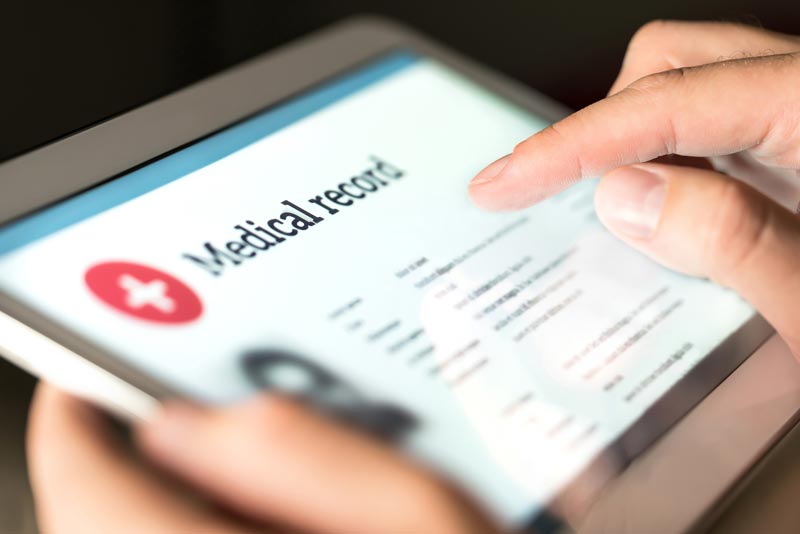
Businesses that operate within the medical industry know all too well how important it is to follow all of the rules and guidelines concerning patient information and data. The penalties for HIPAA violations can be severe, ranging from several thousand dollars up to a million dollars or more. While some HIPAA violations are obvious, others may be easy to miss. In this article, we’ll take a look at five unexpected HIPAA violations that many small businesses do not know to look out for. 1) Data Forms on Your Website Forms on your website that users are able to fill out are a great way to collect data and generate leads. However, form data is typically not encrypted at rest and is also often sent via unencrypted email. If a user enters medical information into one of these forms, it could amount to a HIPAA violation for the website owner. The form doesn’t even have to ask for medical data directly – if a user inputs medical data into a blank textbox on the form the consequences are often the same. 2) Digital Copiers Many business owners are unaware that digital copiers store data. If you don’t take the time to secure your copier and/or wipe its data when you go to sell it, you could leave your business vulnerable to a HIPAA violation. 3) Phishing Emails All it takes is for one employee in your business to fall prey to a phishing email for your entire network to be exposed. While a breach in security resulting from a phishing scam can constitute a HIPAA violation, you can protect against these breaches by keeping your security software updated, making use of firewalls, and using strong passwords that you change frequently. 4) Improper Disposal of Records and Hard Drives Any record – digital or physical – that contains personal health information (PHI) must be wiped clean and/or destroyed before it can be disposed of. If this information is left in a trash can or left in a folder on an employee’s computer, it could fall into the wrong hands, leading to a very serious HIPAA violation. There are companies that provide hard drive destruction services and it is highly recommended you find a local provider and regularly shred your hard drives. They will actually come to your location and shred the drives in your presence and then give you a certificate of destruction. 5) Loss or Theft of Devices If a device containing PHI is lost or stolen, it could result in a stiff HIPAA violation for the business responsible for the device. This means that it is essential to encrypt all devices that store PHI and train your employees to report the loss or theft of their business devices immediately. It’s also important to train your employees not to use unencrypted personal devices for business purposes. Conclusion HIPAA violations can be a major blow for businesses, and they are often times difficult to protect against. If you would like to learn more about how we can help shield your business from HIPAA violations through strong, effective security, we invite you to contact us today. Boring Business Systems is an I.T. Support and Managed Services Provider serving the greater Tampa and Lakeland area. In addition to network support and desktop support, Boring also specializes in cybersecurity and works with many companies that are subject to HIPAA compliance.
Should Your Business Utilize Managed Network Services?

Every day businesses are turning to Managed Network Services to free up their own staff and gain insight from IT experts. The purpose of Managed Network Services is to proactively monitor a company’s network (Internet connections, security, etc.) and repair any network issues that may arise. Outsourcing Managed Network Services saves you valuable IT time, as network engineers rapidly assess the situation before the company may know that there is a problem. Here are five reasons why many companies choose to outsource their IT monitoring: 1. Merge information from multiple locations If you have multiple locations for your business, then you know the challenge of keeping everyone connected, your systems up and running, and information flowing smoothly. Network engineers will monitor your systems and handle the needs of your remote locations. 2. Allow your staff to focus on more important matters You may not have the time, tools, or manpower in place to effectively monitor your company’s IT network. When it’s time to focus all of your energy on growing your business and effectively serving your own customers, the last thing you want is to waste valuable IT time troubleshooting and monitoring company networks between remote locations. 3. Have access to the performance of your critical network components Utilizing Managed Network Services doesn’t mean that you lose control of or access to your performance reports and tracking. On the contrary, it allows you to be fully updated and alerted at all times without having to identify and troubleshoot issues yourself. 4. Keep your network monitored and managed at all hours Oftentimes abuse happens in the middle of the night, so having 24-hour monitoring in place is critical for your business’ security and success. On top of simply monitoring your systems, it is important that the engineers be trained in responding to alerts and knowing how to fix the issues. 5. Minimize operating costs by outsourcing You’ll notice the financial burden of staffing and overseeing your own IT Department taken off your shoulders when you trust a specialized Managed Network Services provider. Put your time, energy, and financial resources into nurturing your business, and let the tech experts handle your growing network and infrastructure.